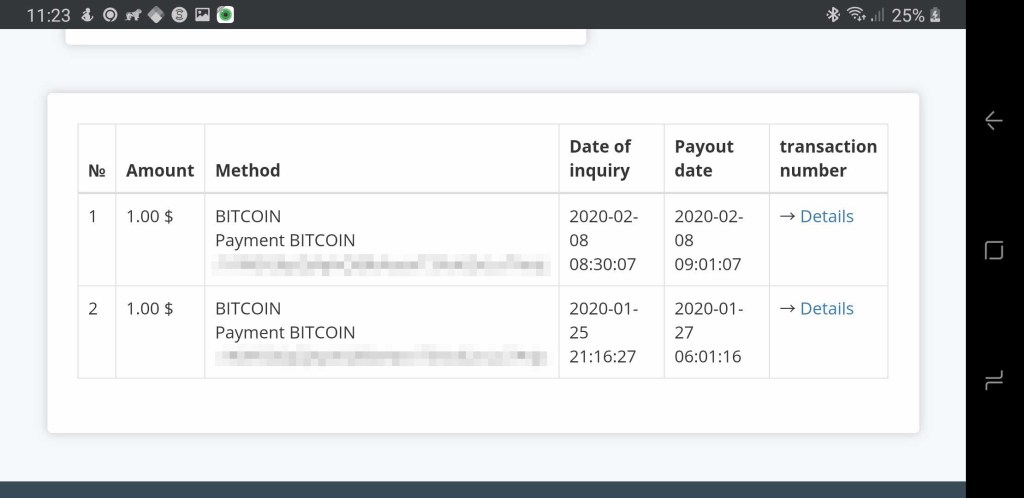
I have tested 2captcha’s withdrawal method via Bitcoin. For testing purposes solved about 2K recaptchas to earn $2. In the previous post, I wrote about the solving process and time. Now it’s time to grab hardly earned money. The minimum withdrawal limit for Bitcoin is $1 and I did two withdrawals as I earned $2.
You can register with this referral link and start earning immediately: 2captcha.com
The first withdrawal took 2-3 days to appear in the blockchain.com wallet. The second one was faster and it took a few hours. There were no fees for transactions and I got $2 Bitcoins. Now it’s $2.16 as Bitcoin price has increased.
As you can see it’s legit and fast. I didn’t try other methods yet but plan in the future so stay tuned.
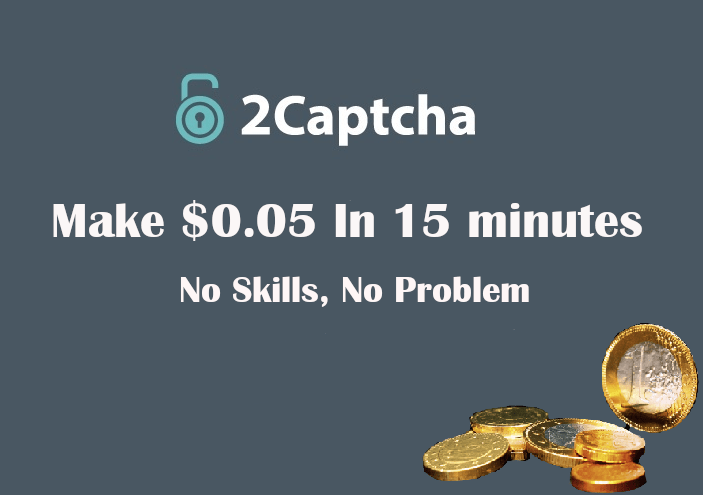
In my previous post First Impressions I wrote about 2captcha and put a referral link for new subscribers. Some people used this link, registered as my referrals and tried to earn money but it seems they were frustrated about the small amount of money they earned. I have good news for them, who owns an android smartphone. You can earn 3x time faster with your phone by solving “I’m not a robot” ReCaptchas, which pays $1 per 1000 tasks. For the normal captchas, the payment rate is dynamic (today it was $0.17 and $0,4 per 1000 in different periods) and it depends on the number of workers in a particular period. Recaptchas are 3x time better and easy. You don’t want to type hardly readable words and numbers, just click on images and that’s all. In this image you can compare prices of normal captchas and recaptchas.
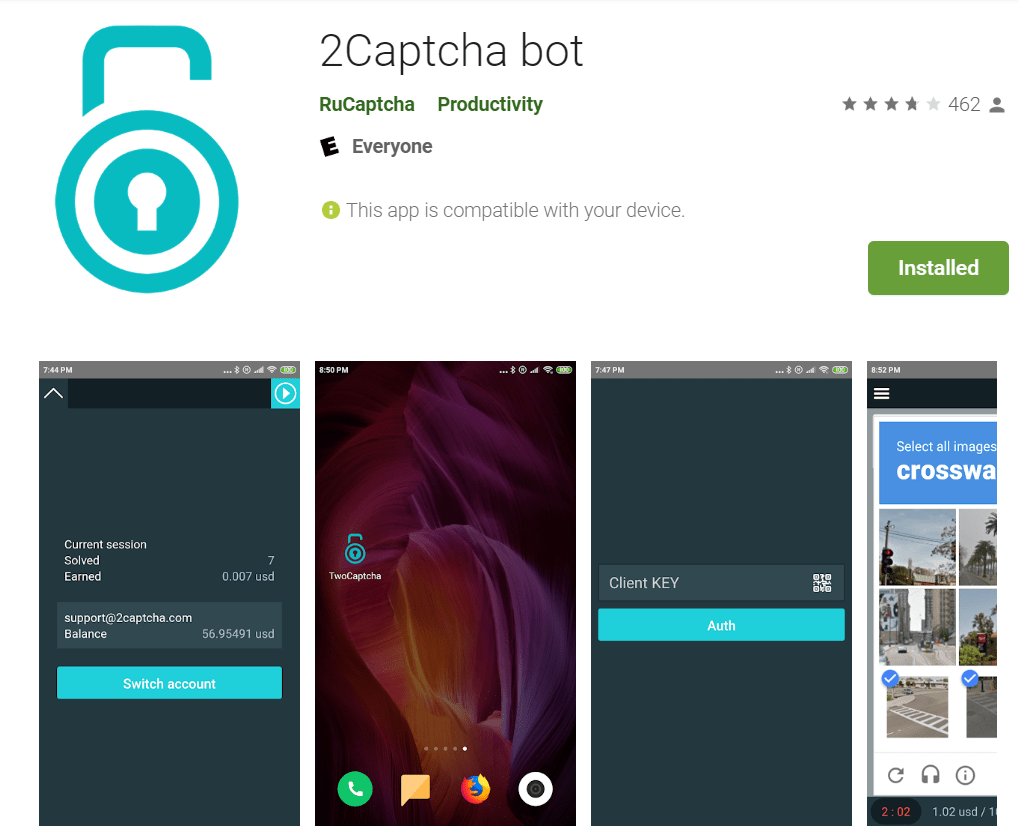
If you interested to make small but the easiest money, you should download 2Captcha bot from the play store and enter your Client Key from the 2captchas dashboard. You can find your key under the “Solve Captchas” tab.
I tested this app and it works like a charm. Please work very accurate and don’t make mistakes as it takes time to reenter captchas. You can find test results in my youtube video, which was uploaded especially for our blog readers. Of course, it’s up to you how fast you can solve captchas and earn as fast as you can.
Please like the video and Subscribe our channel for good news.
Wish you all the best and Find the right sources to make money remotely.
It’s not a fairy tale to earn $10 on Microworkers. If you have time, laptop and internet, this is everything you need to start earning money. Your balance is growing slowly but it is growing hour by hour and day by day. If you are Microworkers member, you definitely know the minimum withdrawal limit is $9 + fees. So, your balance reached the golden $10 mark and… The next step is to grab your money and put it in your pocket, but here comes a question, which method do I have to use? Let’s go through this process together. We need to access the “withdraw” tab and place a new withdrawal request. The first step is to choose the withdrawal method. Microworkers has 3 withdrawal methods. For testing purposes, I tried all of them. Now I will share my experience and knowledge with Remotejobs readers. Below you can find the list of available methods with minimum limits and fees:
Method
Min Limit
Fee %
Fee $
$+Fee
Moneybookers (Skrill)
$ 9.00
6.50%
$ 0.59
$ 9.59
Payoneer
$ 20.00
5.00%
$ 1.00
$ 21.00
Paypal
$ 9.00
7.50%
$ 0.68
$ 9.68
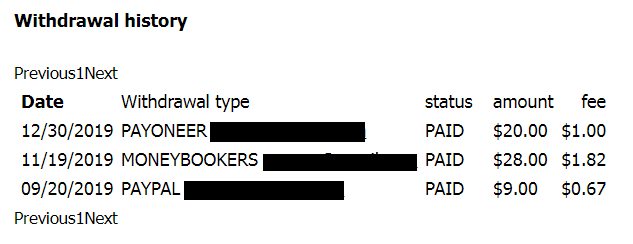
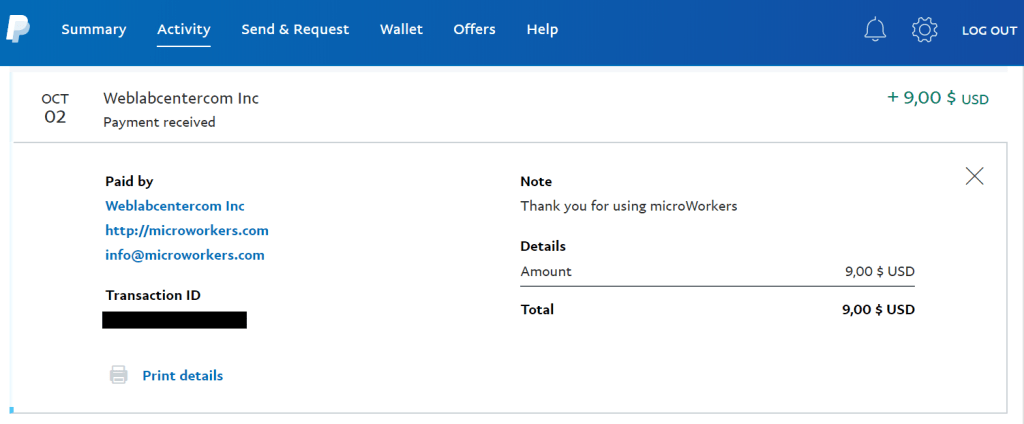
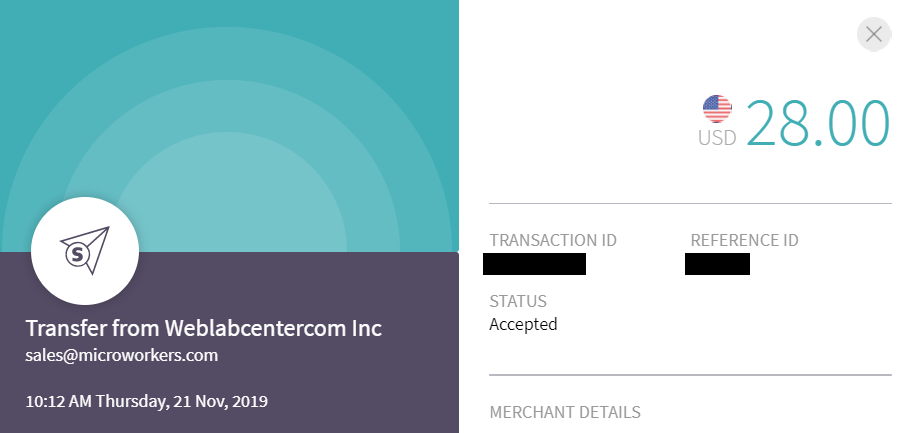
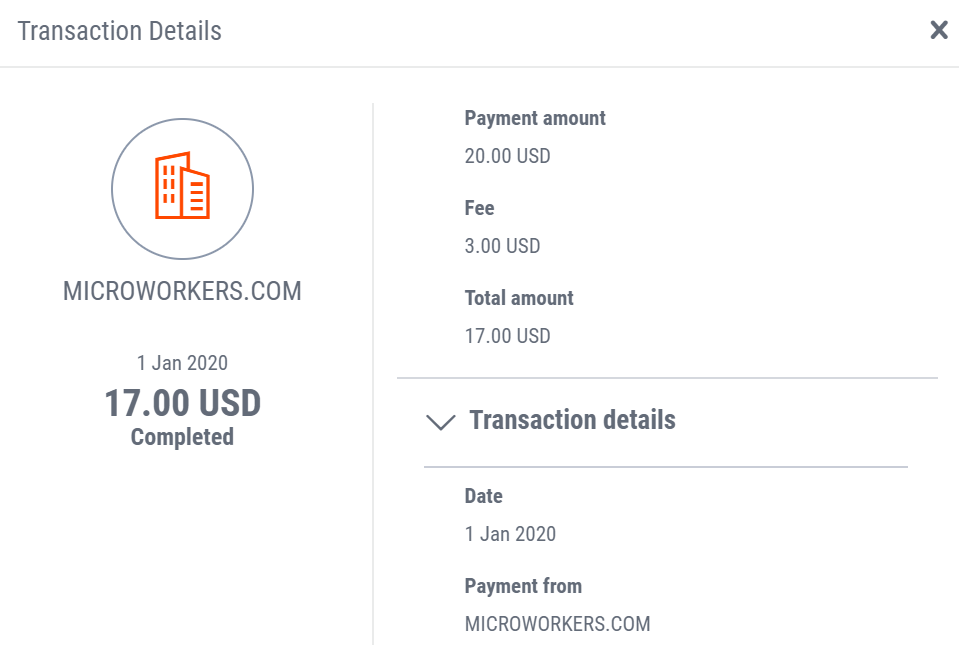
Here you can find my withdrawal proof:
As you see, first was PayPal. I placed $9 request on 09/20/2019 and received it in 10/02/2019. This was my first withdrawal, so it was with a little delay. I think it’s normal for the first time.
Second was Moneybookers (Skrill). I placed $28 (This is not minimal requirement, You can request $9) request on 11/19/2019 and received it in 11/21/2019.
The last was Payoneer with it’s $20 limit. I placed $20 request on 12/30/2019 and received it in 01/01/2020. Wait, wait, wait $3 fee? Yes, I got $17 in my wallet.
I don’t want to judge any of these companies, I like all of them because they bring so sweet and happy messages when we are expecting. You know what I mean. So, this is just my research for our readers. Maybe it will help someone to make the right decision. Wish you all the best and Find the right sources to make money remotely.
P.S. to place a withdrawal request, required steps are: amount to withdraw, credentials and verification pin. This pin will be sent by Microworkers after our request from withdrawal wizard. We will get this pin by email.




 remotejobs.business.blog